




RLX COMPONENTS s.r.o. , Electronic Components Distributor.
RLX COMPONENTS s.r.o. , Electronic Components Distributor.

349.00 € tax excl.
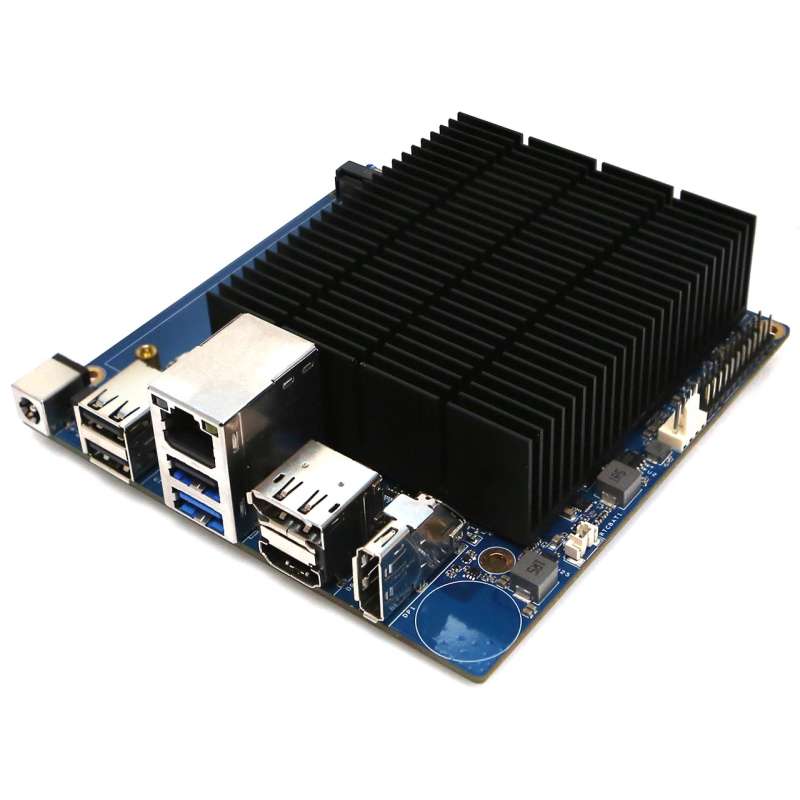
ODROID-H5 (HK-ODROID-H5) G260414172512 10GbE networking
ODROID-H5 (HK-ODROID-H5) G260414172512 10GbE networking
Séria ODROID-H prechádza na 10 GbE
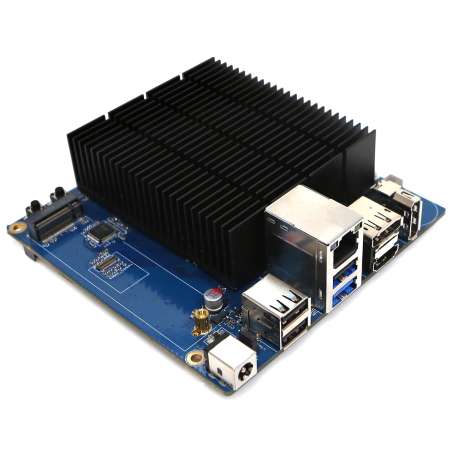
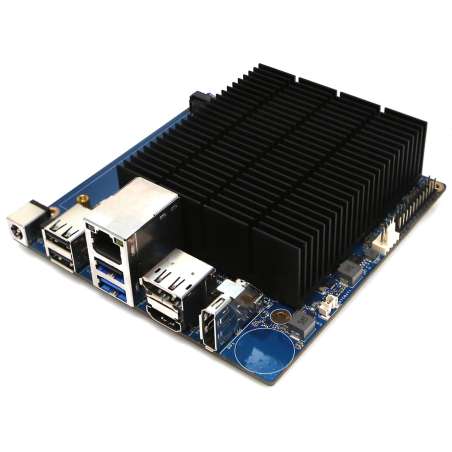
Predstavte si, že máte jednočipový počítač s integrovaným sieťovým rozhraním 10 GbE, ktorý je cenovo dostupný a má nízku spotrebu energie, čo umožňuje jeho prevádzku 24 hodín denne, 7 dní v týždni, bez toho, aby sa mesačné účty za energiu vyšplhali na neúnosnú výšku. Predstavte si, že práve tento jednočipový počítač vám ponúka 4, áno, 4 sloty M.2, z ktorých 3 sú s rozhraním PCIe Gen 3 x2 a 1 s rozhraním PCIe Gen 3 x1, čo umožňuje užívateľské prispôsobenie pomocou SSD diskov NVMe alebo PCIe na 6 Gbs SATA, prípadne ďalších sieťových kariet, WiFi 6e alebo 7, akcelerátorov umelej inteligencie či vlastných kariet (napr. senzorov). Spoločnosť Hardkernel predstavuje ODROID-H5, ktorý obsahuje kompletnú rekonfiguráciu 9 vysokorýchlostných IO (HSIO) liniek, plus vyhradenú linku USB 3.1 Gen 2 s rýchlosťou 10 Gbps poskytovanú procesorom.
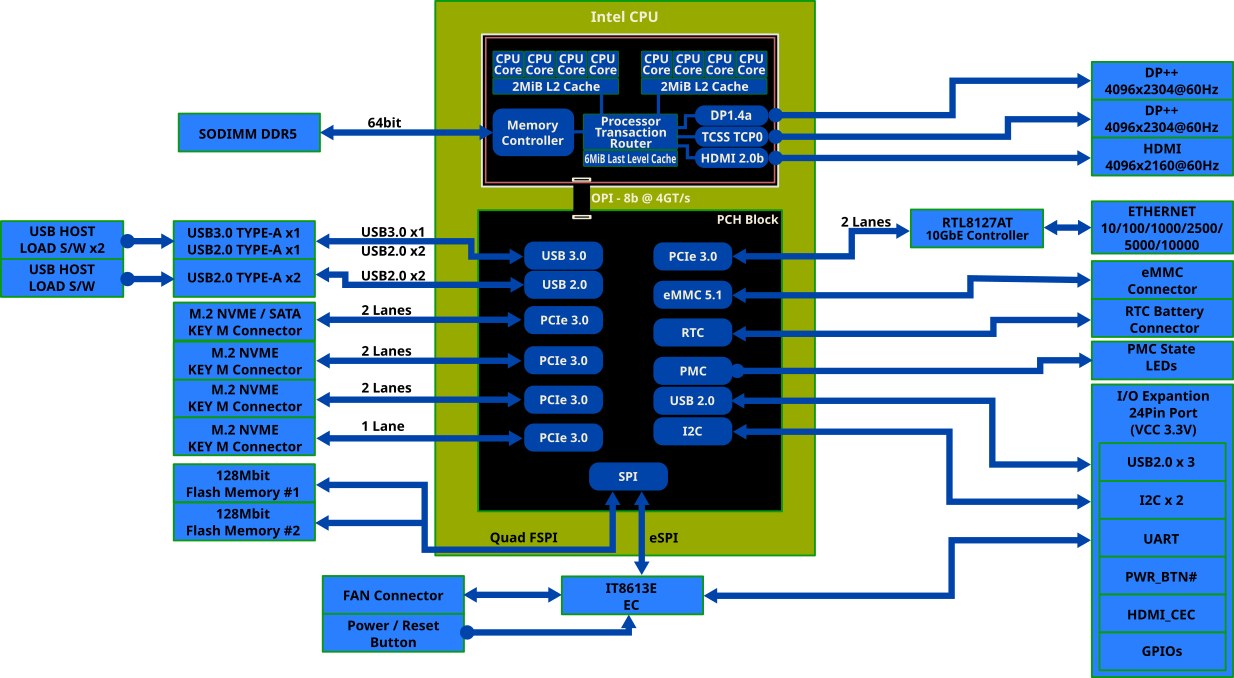
The points discussed below highlight the key evolutions of the new ODROID-H5 series compared to its predecessor, the ODROID-H4:
As the team at Hardkernel introduces the H5 series, we remain committed to the H4 series for as long as critical upstream components, such as Intel CPU models, remain available for production. Unfortunately, the global CPU supply chain has been extremely volatile lately, which has caused regrettable disruptions in our ability to maintain H4 stock. We are doing our best to navigate these supply issues to resume production as soon as possible.
|
ODROID H4 |
ODROID H4 Ultra (‘2024 Apr) |
ODROID H5 |
|
| Processor | |||
| CPU (Intel)(see note 1) | Processor N97 | Core™ i3 Processor N305 | Core™ i3 Processor N300 |
| Code name | Alder Lake-N | ||
| Microarchitecture | Gracemont | ||
| Cores / Threads | 4C4T | 8C8T | 8C8T |
| Cache | 6 MB | ||
| AVX2 (Advanced Vector Extensions) | Yes | ||
| TDP | 12W | 15W | 7W |
| Single Thread Burst Frequency (GHz) | 3.6 | 3.8 | 3.8 |
| Full multi Thread Sustained Frequency(GHz) | 2.9 | 2.6 | 2.3 |
| Memory | |||
| Max. Memory address space (GB) | 64 (see note 2) | ||
| Max. Memory Speed (MT/s) | DDR5-4800 | ||
| In Band Error Correction Code (IBECC) Support | Yes | ||
| iGPU (Intel Graphics) | |||
| Burst Frequency (MHz) | 1200 | 1250 | 1250 |
| Execution Units | 24 | 32 | 32 |
| Video outputs | |||
| HDMI | 1 | ||
| DisplayPort | 2 | ||
| PCIe (via NVMe slot) | |||
| Generation | Gen 3 | ||
| Configuration | 1 x M.2 slot x4 lanes | 1 x M.2 slot x4 lanes | 3 x M.2 slots x2 lanes 1 x M.2 slot x1 lane |
| Compatibility with optional ODROID 4-ports 2.5GbE Net Card |
Yes | Yes | No |
| Compatibility with optional ODROID M.2 2×2 Card |
Yes | Yes | No |
| Compatibility with optional ODROID M.2 4×1 Card |
Yes | Yes | No |
| Compatibility with optional ODROID M.2 10GbE Card (see note 3) |
Yes | Yes | Yes |
| Compatibility with optional ODROID M.2 6-port SATA Card (see note 4) |
Yes | Yes | Yes |
| Compatibility with optional 3rd Party M.2 WiFi 6e, 7 x1 Card (see note 5) |
Yes | Yes | Yes |
| IO ports | |||
| USB 2.0 | 2 ports | 2 ports | 3 ports |
| USB 3.0 | 2 ports | 2 ports | 1 port |
| 2.5GbE | 1 port | 2 ports | No |
| 10GbE | No | No | 1 port |
| SATA III | No | 4 ports | No |
| 24pin IO Expansion ports | I2C x 2 | ||
| USB 2.0 x 3 | |||
| UART x 1 | |||
| HDMI-CEC x 1 | |||
| Ext. Power Button x 1 | |||
| Others | |||
| Dual-BIOS | No | Yes | Yes |
| Optional Cooling Fan |
Slim 92×15 or thick 92×25 mm 12 Volt standard PC 4-pin Slim fan fits inside the new cases. |
||
| Dimensions | 120x120mm (4.7×4.7 in) | ||
| Recommended Power Supply 1 | 60W | ||
|
Recommended Power Supply 2 for supporting booting with 3.5″ hard disks |
No | 133W | No |
| Unlimited Performance Mode | Yes | ||
| Security (TPM 2.0) | fTPM enabled (Will run Windows 11 out of the box) | ||
| Hardkernel H-series cases |
DIY assembly The cases are made of solid and sturdy PCBs. Plus GameCube-style case. |
DIY assembly The cases are made of solid and sturdy PCBs. |
|
| Certifications | FCC/CE/KC/RoHS | ||
Note 1: See INTEL Ark comparison table at https://www.intel.com/content/www/us/en/products/compare.html?productIds=231806,231805,233090
Note 2: The INTEL Ark pages state the Max Memory Size to be 16GB. However it has been well documented by many users that 32GB, 48GB and 64GB SO-DIMMs work okay with the INTEL processors N CPU. Of course, we have also confirmed the normal operation of the 32GB, 48GB, and 64GB RAM modules.
Note 3: The ODROID M.2 10GbE Card product page is at https://www.hardkernel.com/shop/10gbe-m-2-card-type-1/ See also Wiki page at https://wiki.odroid.com/accessory/connectivity/m.2_to_10gbe_adapter
Note 4: The ODROID M.2 6-port SATA Card product page is at https://www.hardkernel.com/shop/6-port-sata-m-2-card-type-1/ . See also Wiki page at: https://wiki.odroid.com/accessory/connectivity/m.2_to_sata6_adapter
Note 5: See 3rd party solution as discussed for the ODROID M2. It applies easily to the H5. https://wiki.odroid.com/odroid-m1s/application_note/m.2_wifi_bt
The technologies listed below significantly profit from the four times increased speed:
– File transfer using SMB.
– Distributed file systems.
– Distributed databases.
– VM server over 10GbE (e.g. Proxmox).
– Data Lab clusters over 10 GbE.
– Distributed AI/HPC processing over 10 GbE.
– Distributed sensors & commands requiring more than 1 or 2.5 GbE bandwidth.
The H5 offers 7 x HSIO lanes on 4 x M.2 slots instead of 4 x HSIO lanes on 1 M.2 slot, almost double. The CPU offers 9 HSIO lanes, after taking 2 lanes for the 10 GbE onboard NIC, we decided to federate the 7 remaining lanes into M.2 slots, leaving the user, meaning you, to decide how these lanes will be used. In doing so, the ODROID H5 is now the most versatile model of the H-series.
Example:
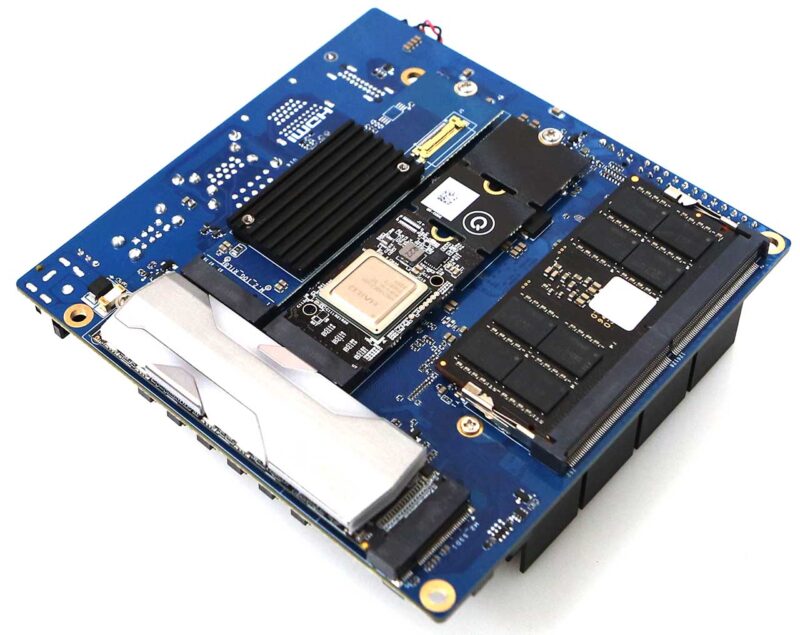
Here is a possible configuration with optional PCIe peripherals:
– One x2 3rd Party NVMe drive
– One x2 ODROID M.2 10 GbE card (you then have 2 x 10 GbE NIC!)
– One x1 3rd Party NPU AI accelerator
– One x2 ODROID 6-Port SATA M.2 Card
This configuration would enable distributed AI/HPC processing over 10GbE.
The photos shown below reflect this example configuration.
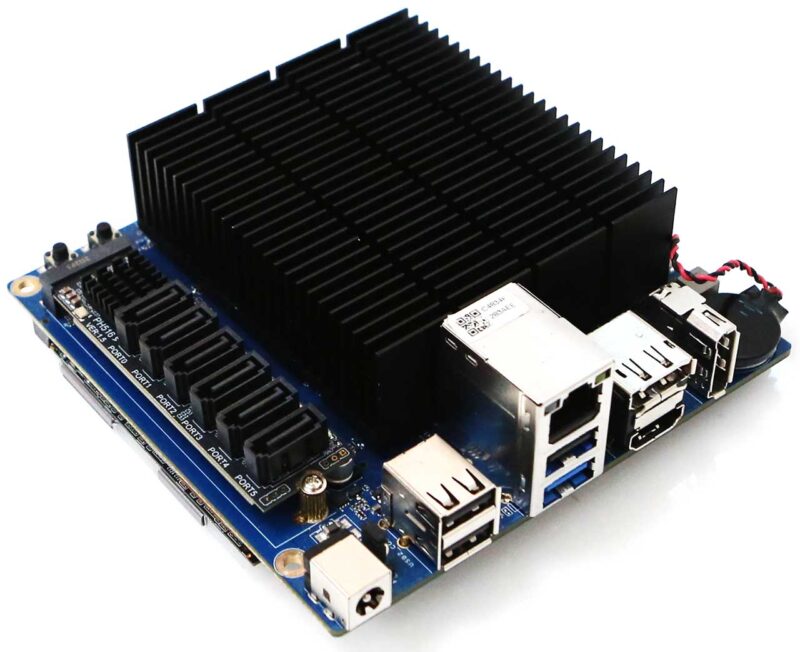
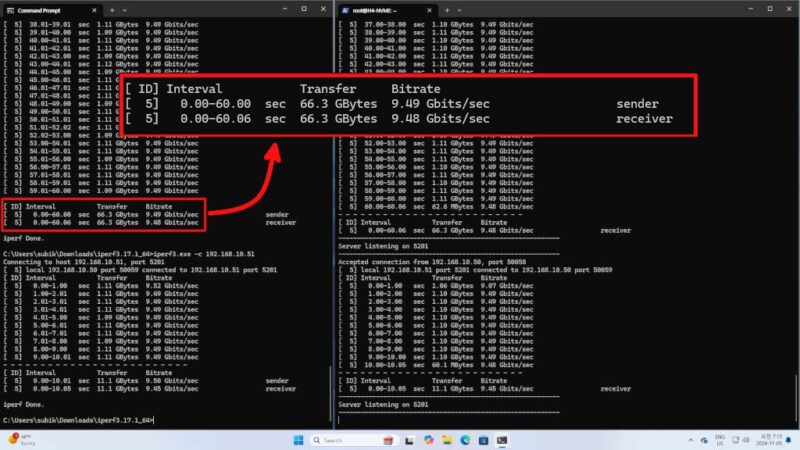
During our 60-second throughput evaluation, the board maintained a consistent bitrate of close to 9.5 Gbits/sec. Furthermore, the H5 demonstrated exceptional thermal and link stability, showing zero performance degradation or connectivity issues during a rigorous 18-hour Iperf stress test.
The team has finally realized a vision for a truly cost-effective and eco-friendly 10 Gbps network storage solution, engineered to deliver high-speed data handling with remarkably low power overhead.
Even when actively connected to a 10 GbE network, the H5 maintains an impressive idle power profile of approximately 3W, while remaining fully capable of saturating the link with real-world transmission speeds of 1+ GB/s.
Check out the table below detailing the PassMark benchmark results, providing a clear performance comparison across the N97, N305, and N300 processors. While these are synthetic benchmarks, we ensured a level playing field by running them on three distinct boards within an identical Ubuntu 26.04 + Linux kernel 7.0 environment, making this data perfectly suited for evaluating relative performance gaps.
| N97 | N305 | N300 | |
| Single Thread Rating | 2187.1 | 2302.5 | 2313.5 |
| CPU Mark | 6281.8 | 11939.2 | 10578.8 |
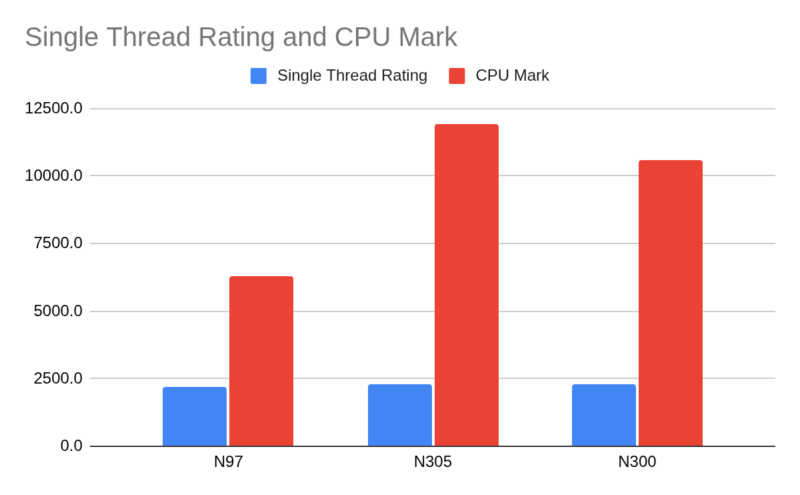
In terms of raw computational throughput, while single-thread ratings remain comparable, the N300 yields a CPU Mark score approximately 10% lower than the N305, reflecting its performance profile in multi-threaded environments. This delta is a logical consequence of the hardware specifications, as the N300’s sustained multi-core frequency is engineered to be roughly 10% lower than that of its N305 counterpart.
Regarding power management, the Power-Limit-4 (PL4) is set to Disabled by default. It is important to note that our latest BIOS releases come with Unlimited Performance Mode (UP) enabled out of the box. For more information about the UP mode, see the annex Unlimited Performance Mode at the bottom of this document.
To quantify the performance delta between the N300 and N305 within a more pragmatic framework, our team executed a series of rigorous evaluations utilizing various modules from the Phoronix Test Suite, including:
The results indicate a performance variance of less than 5%. Consequently, we believe this marginal difference would be virtually imperceptible to users during real-world computing operations.
While the generous onboard heatsink makes fanless operation technically feasible, we strongly advocate for the installation of an active cooling solution to preserve the peak performance of the H5 board’s 8-core architecture during sustained loads.
For optimal thermal management, the official slim 92x92x15mm 12V PWM cooling fan—or an equivalent third-party alternative—should be mounted beneath the venting apertures of our official chassis. We have validated the third-party cooling solutions for compatibility listed below:
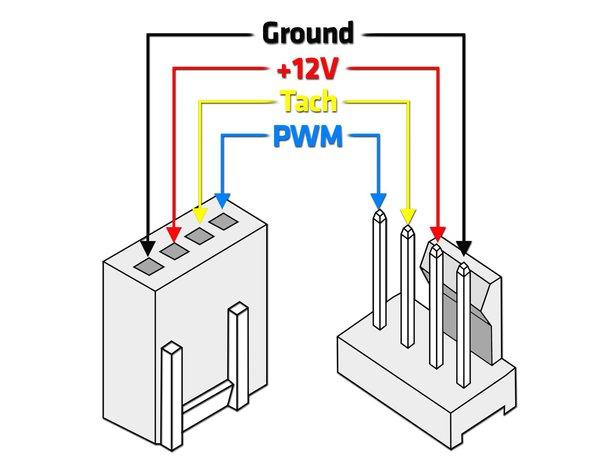
The ODROID-H5 retains the industry-standard 12V PWM 4-pin connector utilized in the H4 series, ensuring that users can easily integrate a wide variety of readily available third-party slim cooling fans into their builds.
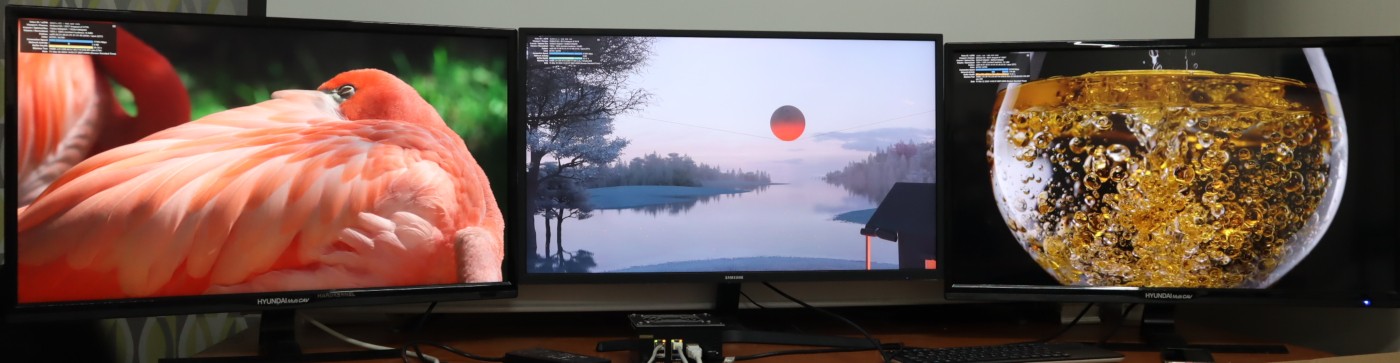
Experience the versatility of connecting up to three 4K/60Hz monitors to the H5 board, perfect for both immersive entertainment and high-productivity workflows. Leveraging advanced hardware virtualization, users can seamlessly run Linux and Windows environments simultaneously with flawless performance.
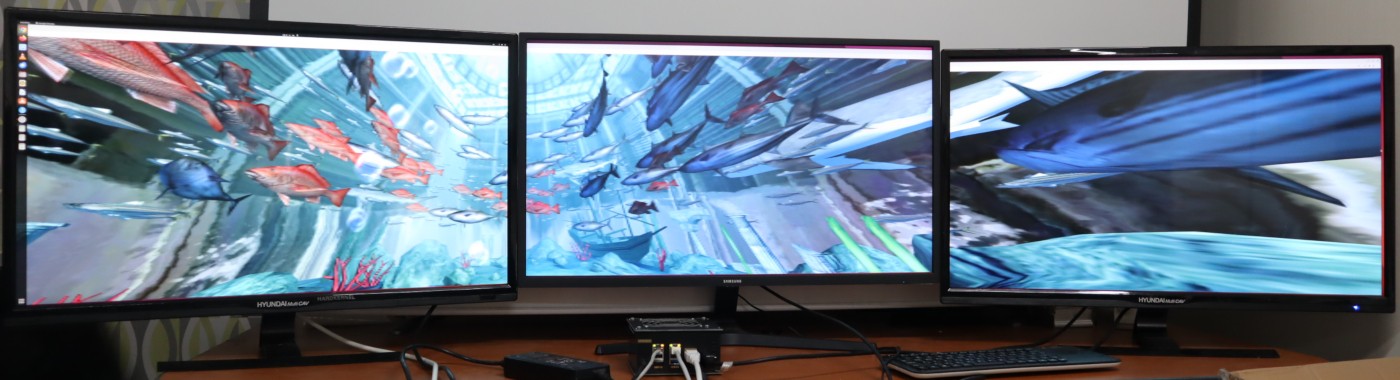
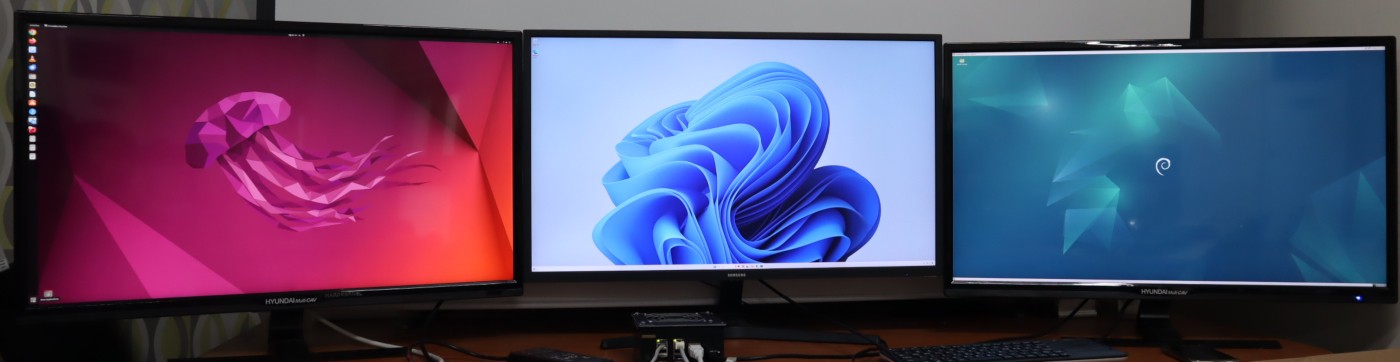
The images shown below demonstrate the multi-display capabilities of the new ODROID-H5:
Picture 1: Simultaneous 4K playback of three different YouTube videos using Chrome on the Ubuntu desktop, showcasing smooth multi-threaded media handling.
Picture 2: An ultra-wide WebGL Aquarium demo running on Ubuntu Chromium across all displays, achieving a massive combined resolution of approximately 11520 x 2160.
Picture 3: A demonstration of hardware virtualization (VT-x) in action: the left monitor displays the Ubuntu Desktop host, the center runs Windows 11 as a guest, and the right runs .
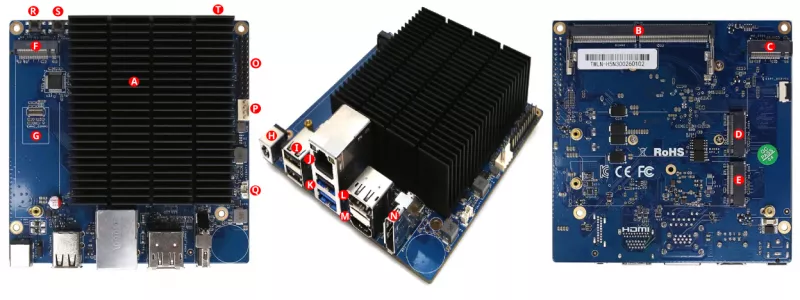
| Processor | Intel i3 N300 Octa-Core : Max Turbo Frequency 3.80 GHz |
| Memory | 1 x DDR5 SO-DIMM slot Single Channel, up to 4800 MT/s (5600MT/s or higher speed DRAM modules are still compatible) Max memory capacity 64GB In Band Error Correction Code (IBECC) Support DDR3/DDR4 are not supported |
| Storage | 1 x eMMC connector (bootable and selectable on BIOS) Various eMMC modules can be purchased at Hardkernel store separately 3 x M.2 slot (PCIe 3.0 x 2, supports NGFF-2280 cards) 1 x M.2 slot (PCIe 3.0 x 1, supports NGFF-2280 cards) |
| Networking | 1 x 10 GbE LAN ports (RJ45, supports 10/100/1000/2500/5000/10000 Mbps) Realtek RTL8127 Supports Wake-On-Lan LED indicators (Green: Link, Amber: Traffic) |
| Video | 1 x HDMI 2.0 (up to 4K@60Hz) 2 x DisplayPort 1.2 (up to 4K@60Hz) |
| Audio | No Analog output, only Digital output from HDMI and DisplayPort |
| External I/O | 1 x USB 3.0 ports 3 x USB 2.0 ports 1 x Peripheral Expansion Header (24-pin, 2.54mm pitch) – 1 x DC 5V, 1 x DC 3.3V, 5 x GND – 1 x UART (TXD/RXD/RTS/CTS : 3.3Volt IO level) – 2 x I2C (SCL/SDA : 3.3Volt IO level) – 1 x External Power Button – HDMI CEC, 5VA+ – 3 x USB 2.0 – All 3.3V I/O signal level |
| Other features | Passive Heatsink BIOS Backup Battery – Maintains system time and BIOS settings Power Button Reset Button System LEDS Indicators: – Red (PWR) – Solid light when DC power is supplied – Blue (left, SLEEP) – turns off only when the system enters into suspend mode – Blue (right, PMIC) – turns on only when the major power rails are working – Green (NVMe) – Flashes when NVMe data transfers Active Cooling Fan Connector (12V 4-pin, PWM input + TACHO output) – Active Cooling Fan is optional – Connector (4-pin, 2.54mm pitch) |
| Power | DC jack : outer (ground) diameter 5.5mm, inner(positive) diameter 2.1mm DC input voltage range : 11V ~ 20V – DC 15V/4A power adapter is recommended Power consumption: – Headless Idle : ≃ 3.3W – Desktop GUI Idle : ≃ 4.5W – CPU + GPU stress test : ≃25W – Power-off : ≃0.4W – Suspend : ≃0.9~1.3W |
| Form Factor | 120mm x 120mm x 44mm Approx. Weight : 320g including heatsink |
Specific References
ODROID-H5 (HK-ODROID-H5) G260414172512 10GbE networking
349.00 € tax excl.