11inch High Resolution Display, 1920×1200 10-Point Touch, Optical Bonding Toughened Glass, HDMI, IPS (WS-35045)
      11inch High Resolution Display, 1920×1200 10-Point Touch, Optical Bonding Toughened Glass, HDMI, IPS (WS-35045)
      11inch High Resolution Display, 1920×1200 10-Point Touch, Optical Bonding Toughened Glass, HDMI, IPS (WS-35045)
      11inch High Resolution Display, 1920×1200 10-Point Touch, Optical Bonding Toughened Glass, HDMI, IPS (WS-35045)
      11inch High Resolution Display, 1920×1200 10-Point Touch, Optical Bonding Toughened Glass, HDMI, IPS (WS-35045)

      11inch High Resolution Display, 1920×1200 10-Point Touch, Optical Bonding Toughened Glass, HDMI, IPS (WS-35045)

      WS-35045
      121,77 €

      99.00 € bez DPH

      11inch High Resolution Display, 1920×1200 10-Point Touch, Optical Bonding Toughened Glass, HDMI, IPS (WS-35045)

      Množstvo:
      OUT OF STOCK

      11inch High Resolution Display, 1920×1200 10-Point Touch, Optical Bonding Toughened Glass, HDMI, IPS (WS-35045)

      • Part No.: 11EP-CAPLCD (EU)

      11inch High Resolution Capacitive Touch Display, 1920×1200 Resolution, 10-Point Touch, Optical Bonding Toughened Glass Panel, HDMI Display Interface, IPS Panel

      11" High Resolution Capacitive Touch Display

      High Resolution | Multi-Point Touch | Landscape / Portrait rotation
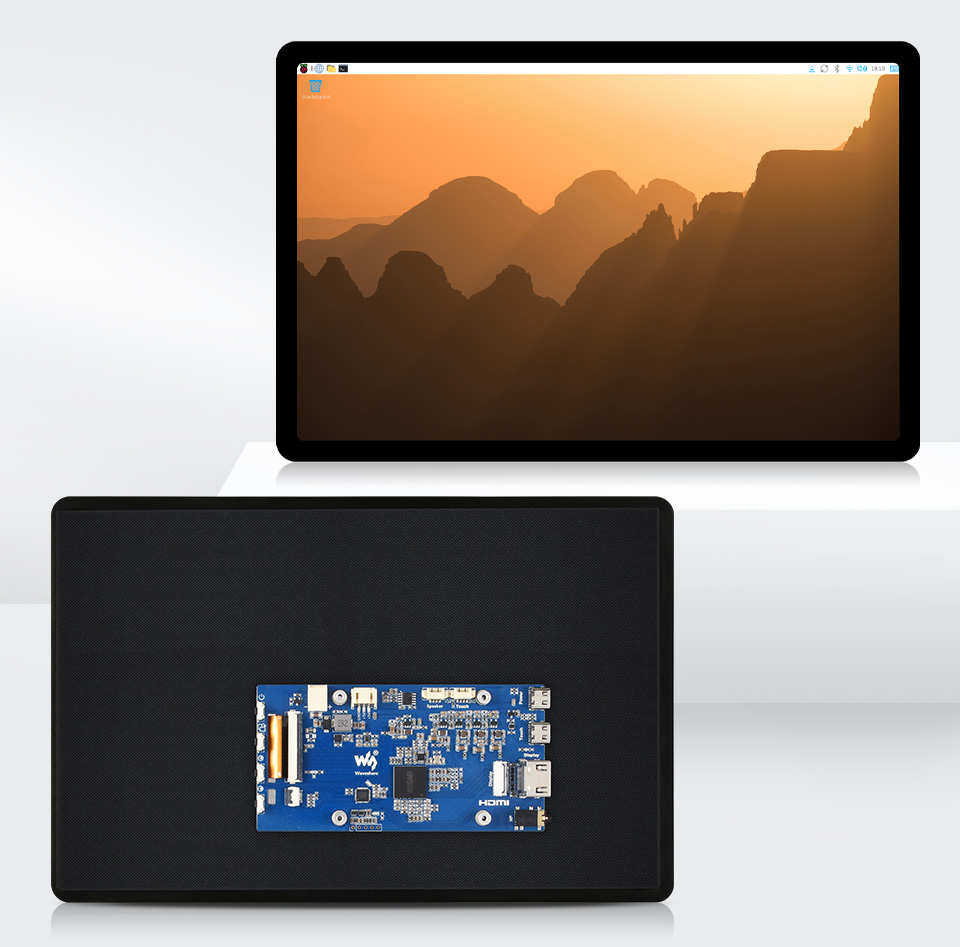
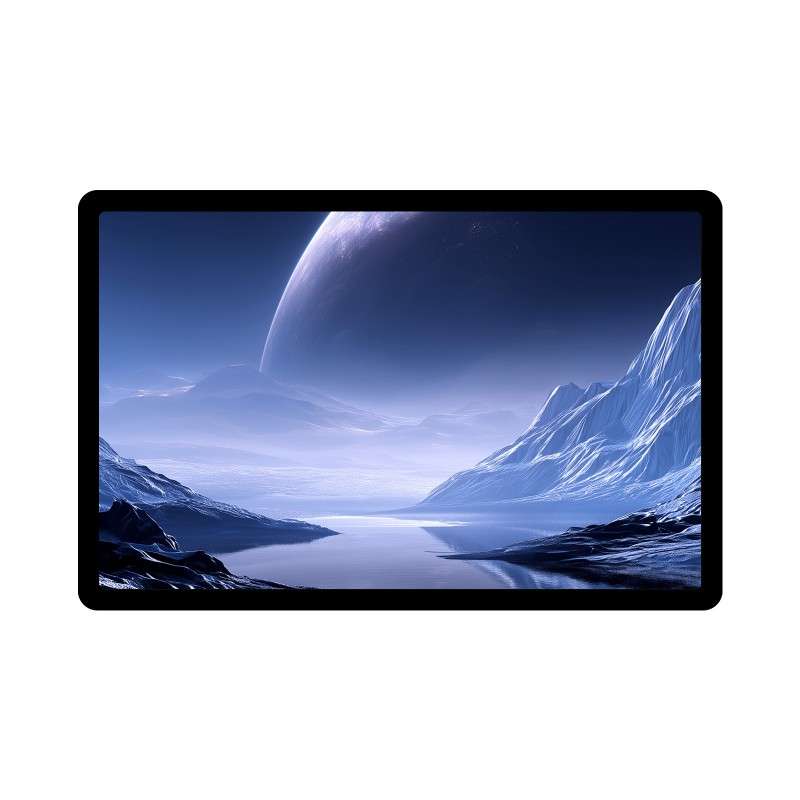
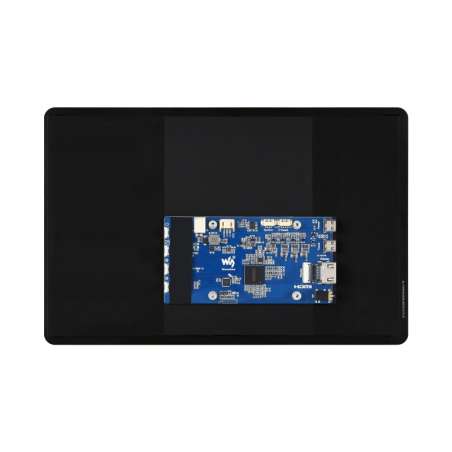
       11inch Capacitive Touch Display, front and back view

        • SizeDimension.png11″
        • ResolutionResolution.png1920 × 1200
        • Display InterfaceHDMI2.pngHDMI
        • Display PanelIPS.pngIPS
        • Viewing AngleViewing_angle.png170°
        • Touch TypeCapacitive_touch.pngCapacitive
        • Touch PointsTen_touch.png10-Point
        • Touch PortType_C.pngUSB Type-C
        • Touch PanelTempered_panel.pngToughened Glass
        • Panel CoatingTech-of-TouchPanel.pngAF
        • Touch Panel Techin_cell.pngIn-Cell
        • Touch Panel TechFull-Fit.pngOptical Bonding
        • OSD MenuOSD.pngBrightness Adjustment
        • Display OrientationFlip_Screen.pngLandscape/Portrait
        • BrightnessSun.png300cd/㎡
        • SoundSpeaker.pngSpeaker Header
        • Audio Output3.5mm-Audio.png3.5mm Jack

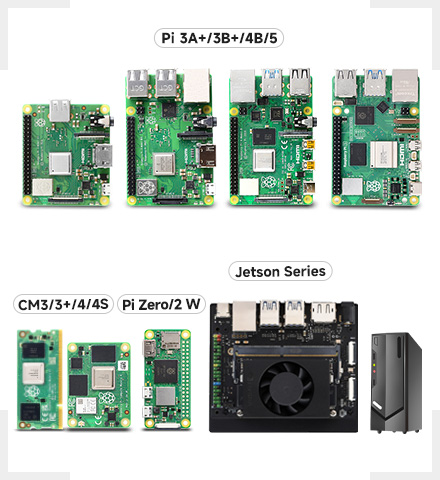
      Device & System Support

      CM-Pi-Zero-Jetson-PC_440.jpg 
      Raspberry Pi
      Supports Raspberry Pi OS, 10-point touch, driver free
      Supports Ubuntu / Kali / Win10 IoT, single point touch, driver free
      Supports Retropie, driver free

      Supports all versions of Raspberry Pi

      Jetson Series
      Supports Ubuntu, single point touch, driver free
      Supports Jetson Nano / TX2 / Xavier NX / Orin series boards

      PC
      Supports Windows 11 / 10 / 8.1 / 8 / 7, 10-point touch, driver free
       
      Connection Examples
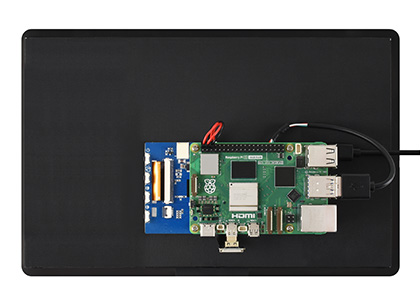
      11inch Capacitive Touch Display, connecting with Raspberry Pi 4B

      Working with Raspberry Pi 5 / 4B

       
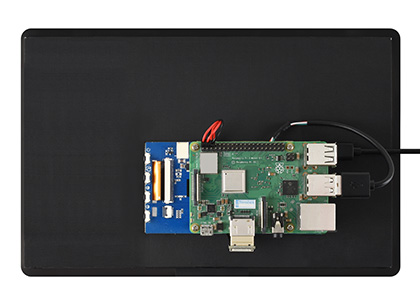
      11inch Capacitive Touch Display, connecting with Raspberry Pi 3B+

      Working with Raspberry Pi 3B+

       
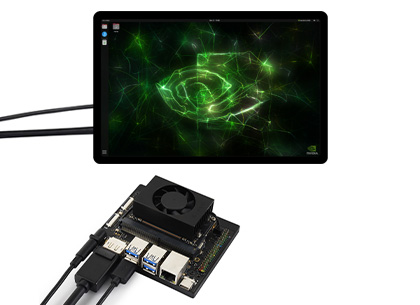
      11inch Capacitive Touch Display, connecting with Jeston series boards

      Working with Jeston series board
      (You need to prepare additional DP-to-HDMI adapter or cable)
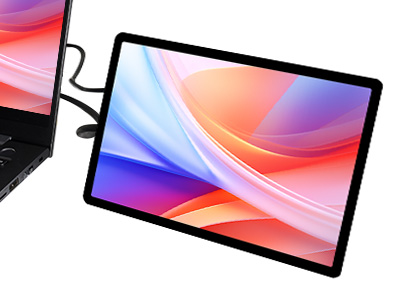
       
      11inch Capacitive Touch Display, connecting with PC

      Working with PC

      * for reference only, the above controller boards or hosts are NOT included
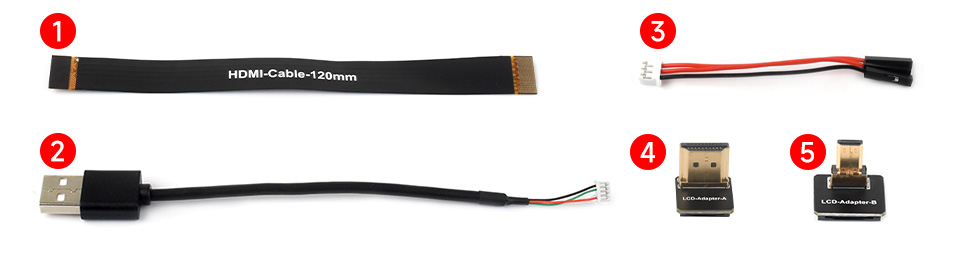
      How to Install
      the accessories for installing 11inch Capacitive Touch Display with Raspberry Pi 5

      Prepare the accessories as shown above, here we take Raspberry Pi 5 as an example
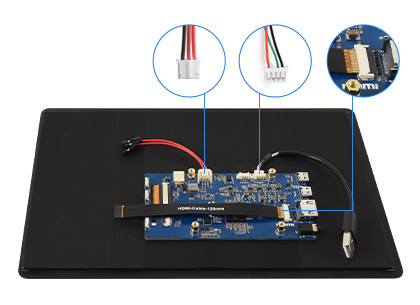
      Install 11inch Capacitive Touch Display with Raspberry Pi 5, step 1

      Step 1:
      Connect the cable ①, ②, and ③ to the corresponding positions as shown in the picture above.
       
      Install 11inch Capacitive Touch Display with Raspberry Pi 5, step 2

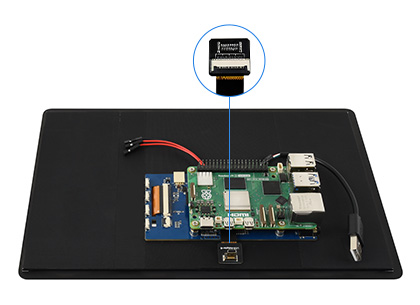
      Step 2:
      Install the Raspberry Pi 5 on the PCB board of the LCD, connect the HDMI adapter to the cable ① (select HDMI adapter ④ or ⑤ according to your Raspberry Pi model) and then connect it to the Micro HDMI port of the Pi.
       
      Install 11inch Capacitive Touch Display with Raspberry Pi 5, step 3

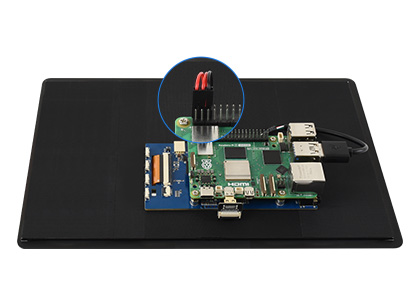
      Step 3:
      Connect the cable ② to the USB port of the Pi and connect the cable ③ to the GPIO 5V and GND pins as shown above.
       
      Install 11inch Capacitive Touch Display with Raspberry Pi 5, step 4

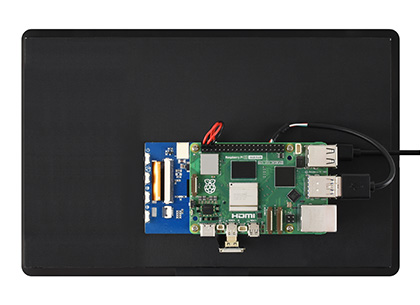
      Step 4:
      Complete the assembly as shown in the picture and ensure all connections are correct, then connect to a 5V power supply and power on.

      * for reference only, the Raspberry Pi 5 is NOT included

      Technology upgrade, higher resolution

      1920 × 1200 high resolution, provides clear image and vivid color display effect
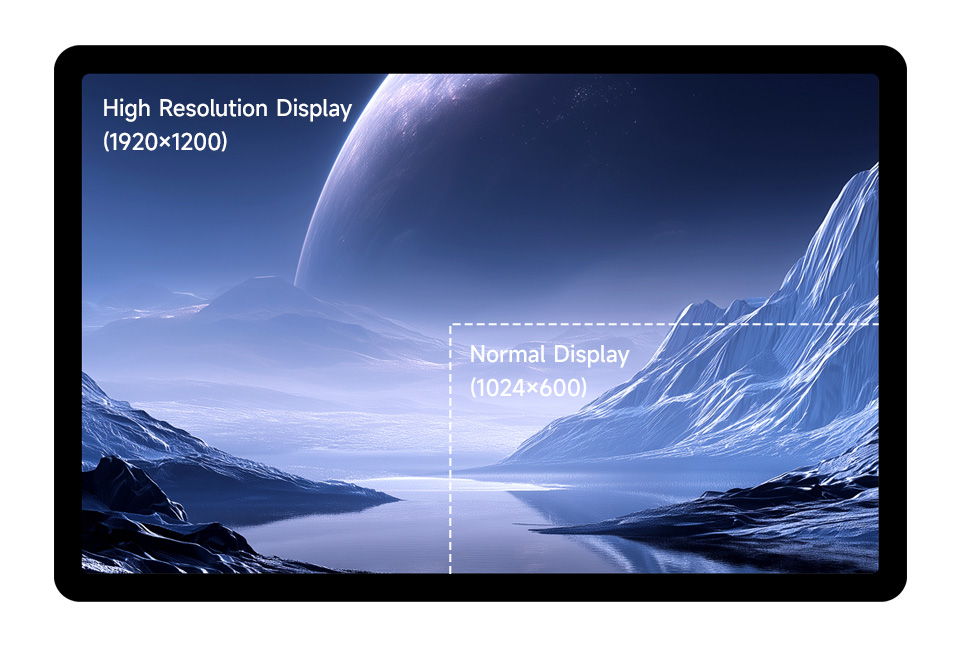
      11inch Capacitive Touch Display, supports higher resolution
      IPS Display Panel

      Excellent Display Performance With 170° Wide Viewing Angle
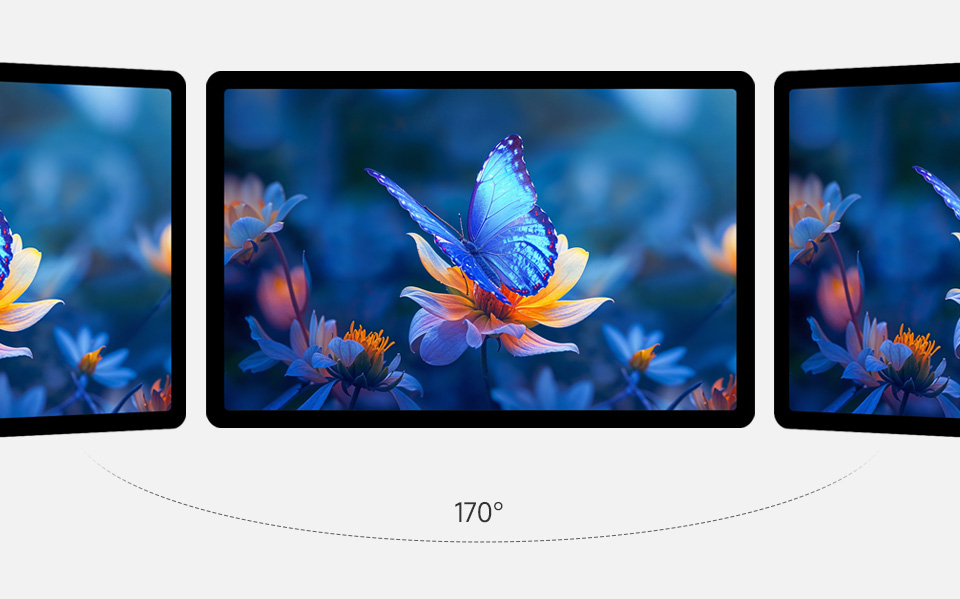
      11inch Capacitive Touch Display, wide viewing angle IPS display panel
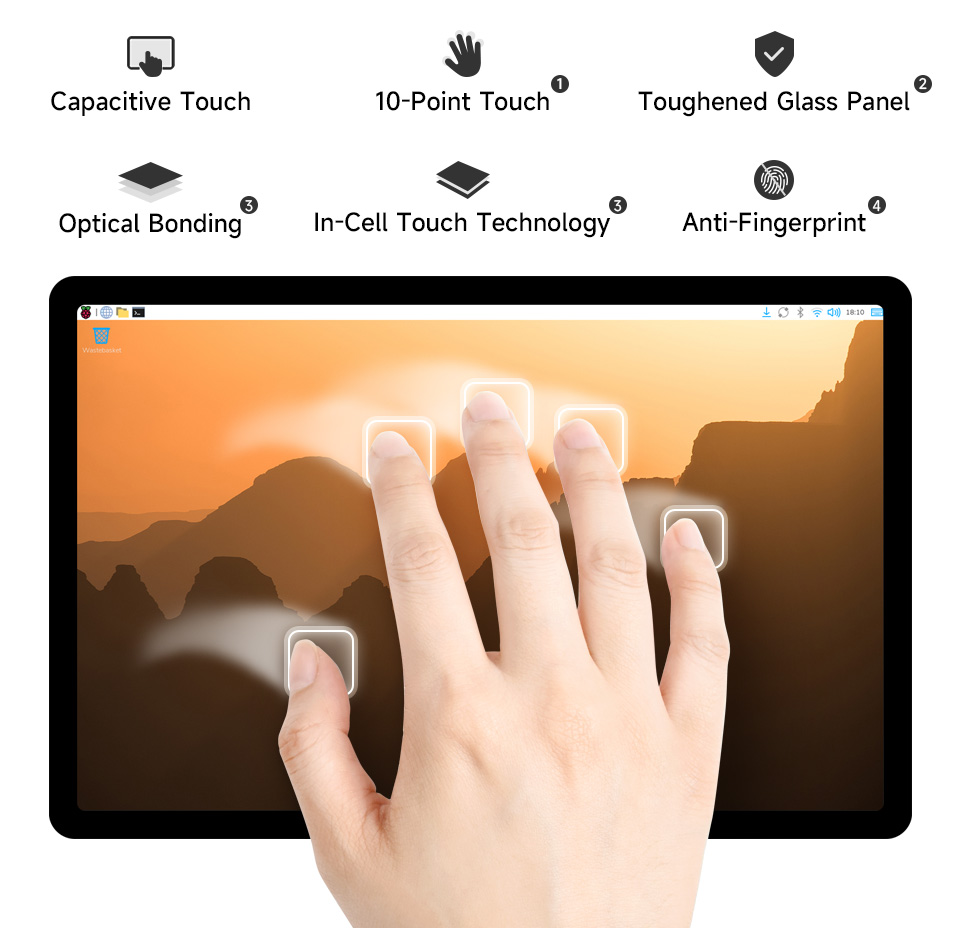
      Capacitive 10-Point Touch
      11inch Capacitive Touch Display, 10-Point capacitive touch
      1. up to 10-point touch, depending on the operating system
      2. up to 7H hardness toughened glass panel
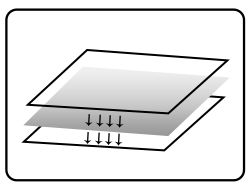
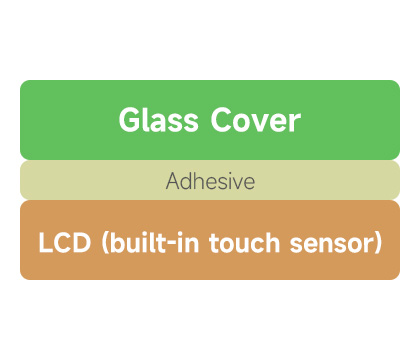
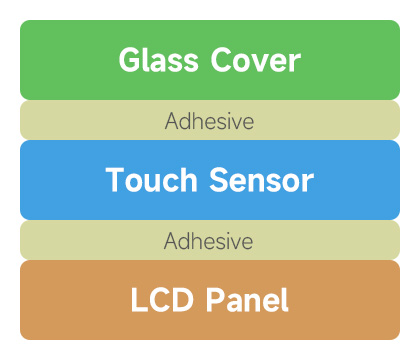
      3. In-Cell integrated touch + optical bonding technology for a thinner, clearer, and more dust-resistant display
      4. Adopts anti-fingerprint panel coating, easy to clean

      In-Cell Touch Panel Technology

      Featuring a simplified structure with Ultra-narrow bezel and Slim thickness,
      while offering rapid response.
      11inch Capacitive Touch Display, allows freely rotating the display orientation

      Normal Display

       
      11inch Capacitive Touch Display, allows freely rotating the display orientation

      In-Cell Touch Display


      Freely rotate the display orientation

      One-button switch between landscape and portrait display to meet the needs of different usage scenarios
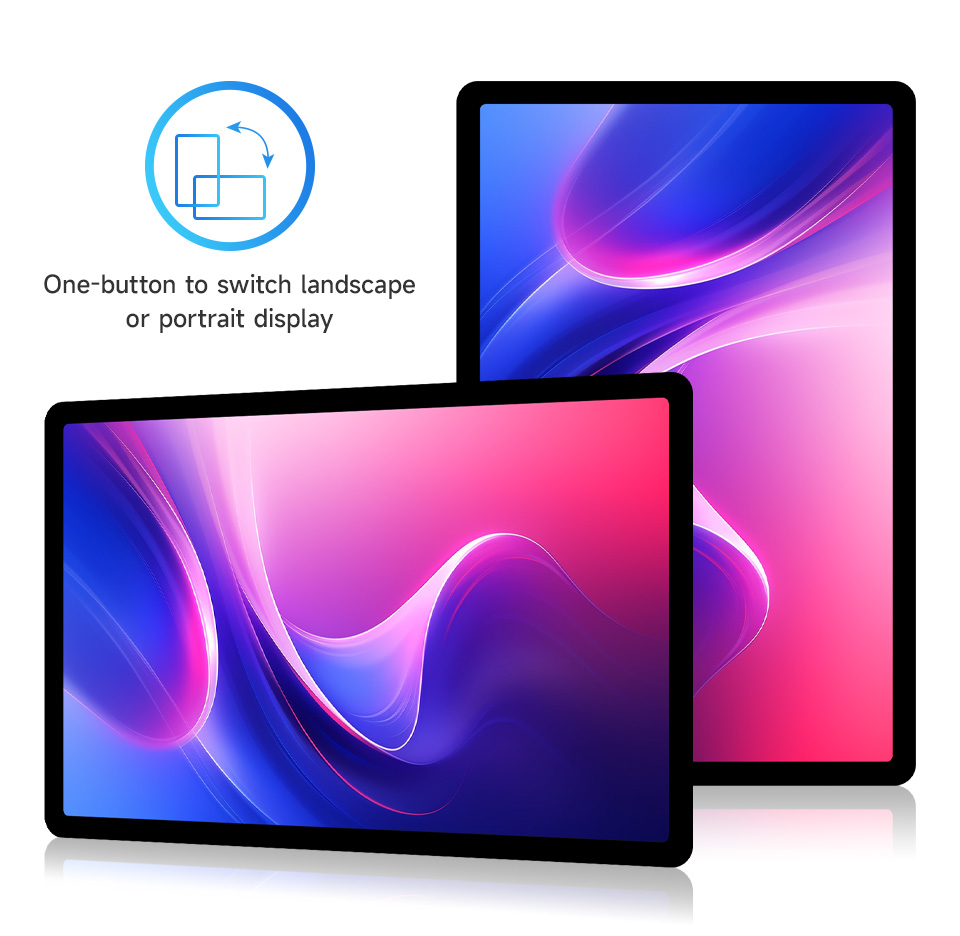
      11inch Capacitive Touch Display, allows freely rotating the display orientation
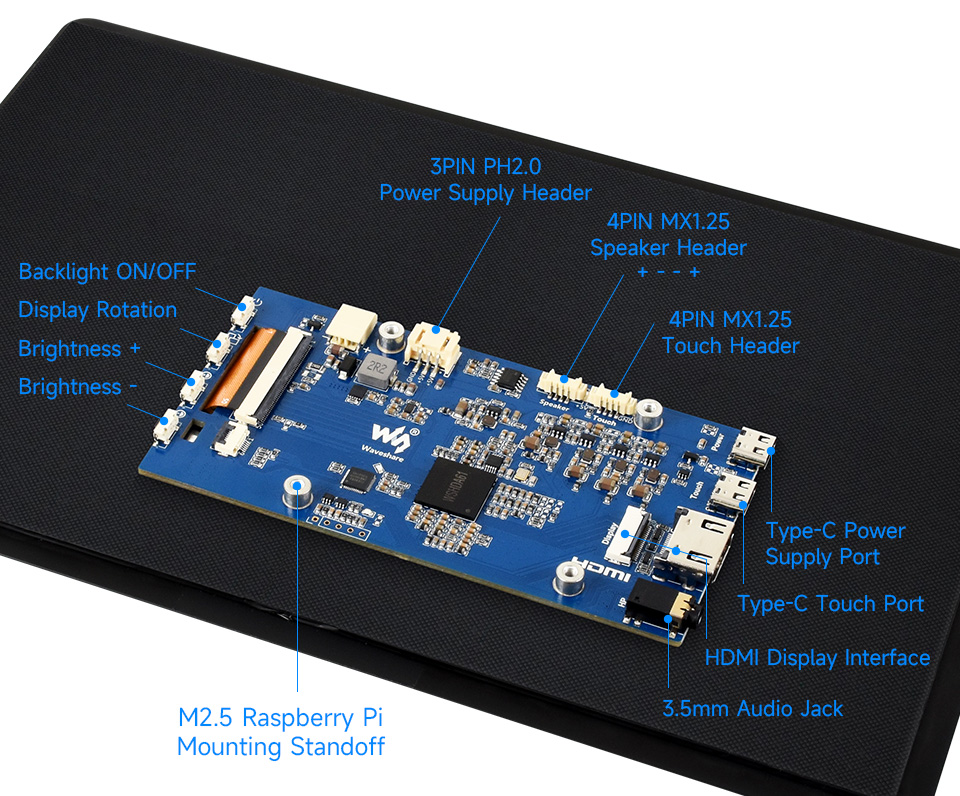
      Interface Introduction
      11inch Capacitive Touch Display, interface introduction

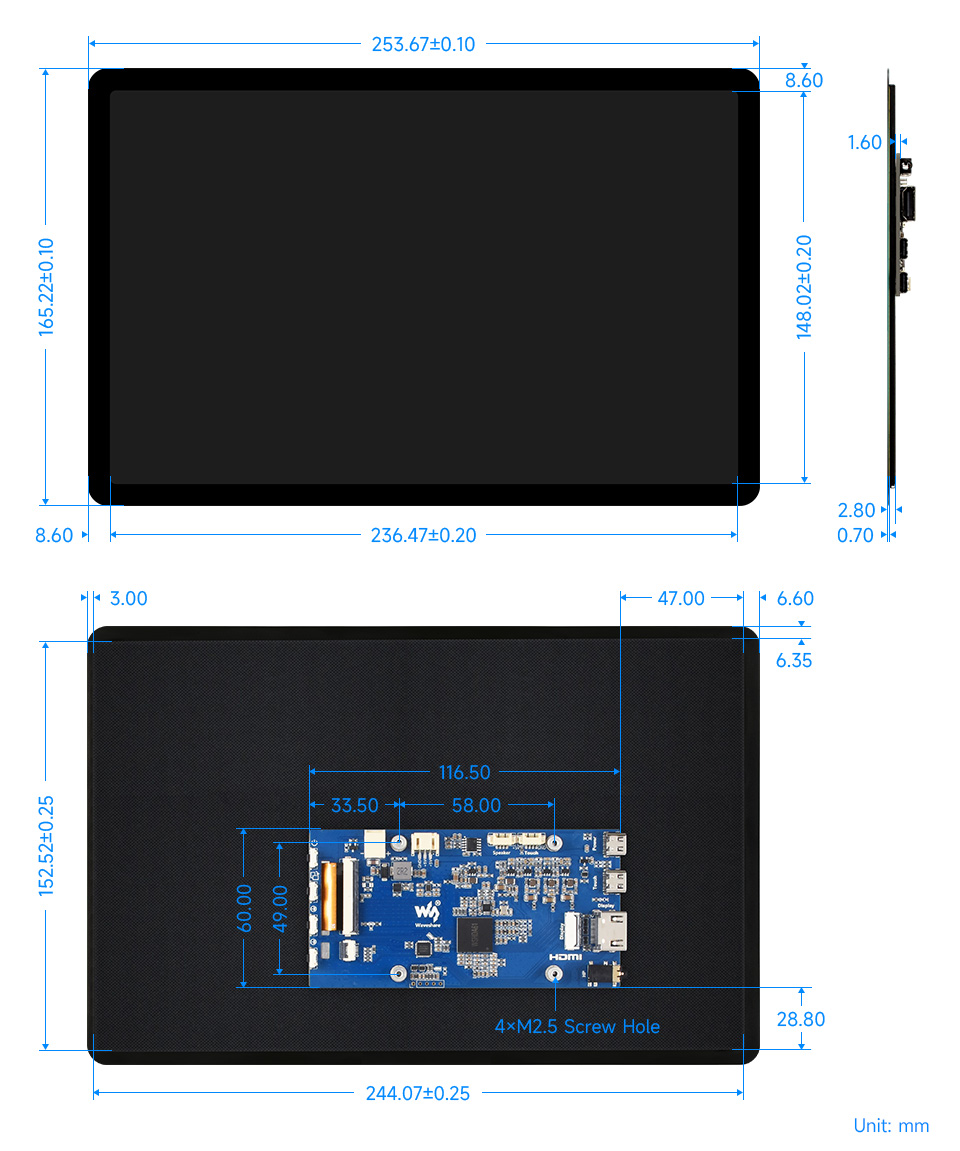
      Dimensions
      11inch Capacitive Touch Display, outline dimensions


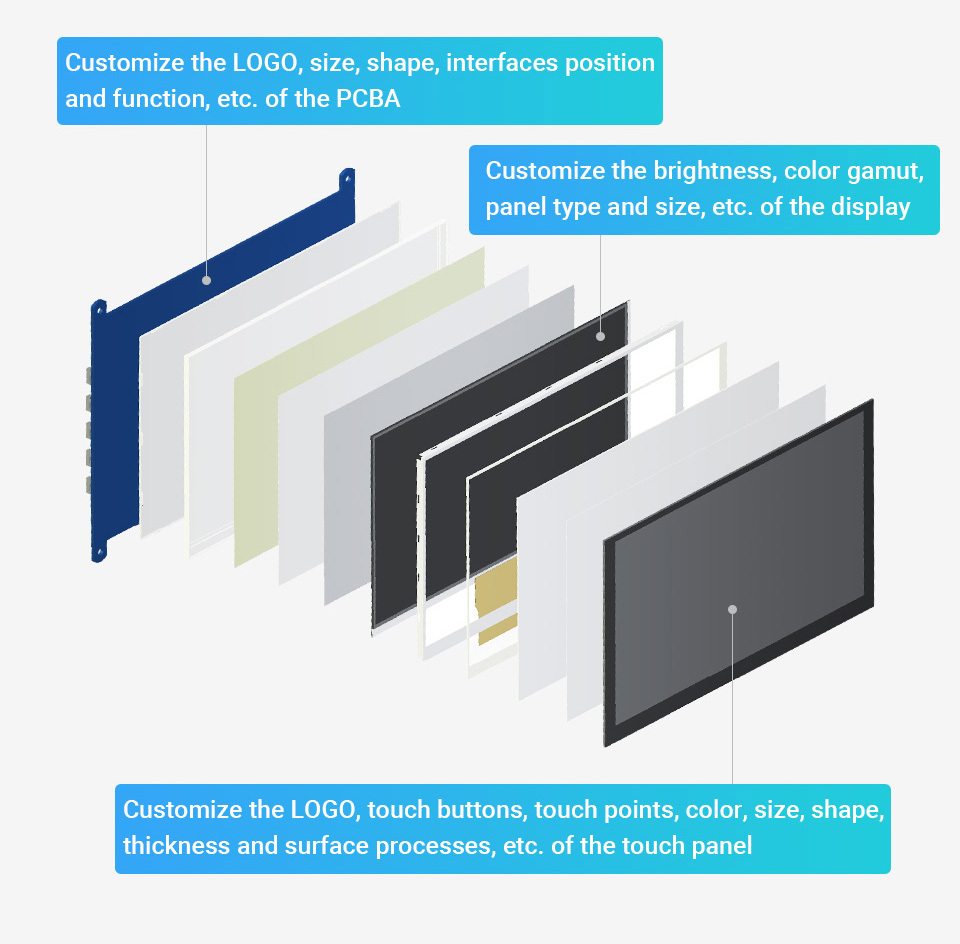
      Support touch screen customization

      Support the following ways to customize the touch screen display in bulk order
      Over a decade
      Waveshare grows with display
       

      * Waveshare has been focusing on display design for over 15 years.

      Resources & Services
      res_banner.png
      • SKU:35046 (UK)
      • SKU:35044 (US)

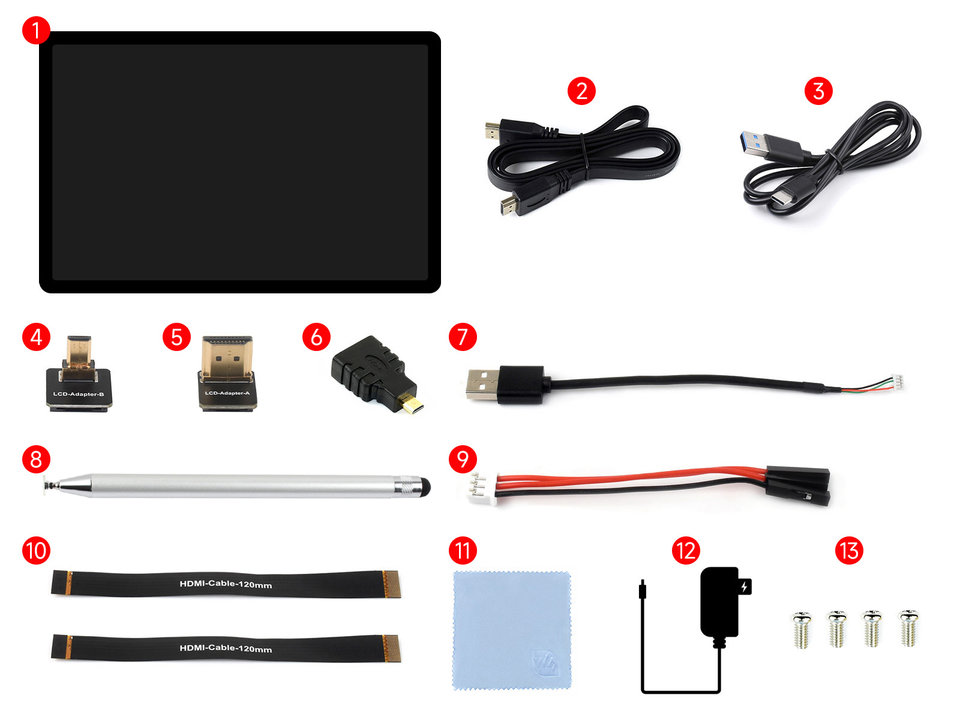
      Balenie Obsahuje / Package Content

      1. 11EP-CAPLCD host x1
      2. HDMI flat cable ~1m x1
      3. USB Type-A male port to Type-C male port cable ~1m x1
      4. Micro HDMI Adapter x1
      5. HDMI Adapter x1
      6. HDMI to Micro HDMI Adapter x1
      7. USB Type-A to MX1.25 4PIN cable 120mm x1
      8. Capacitive touch pen x1
      9. 3PIN cable 70mm x1
      10. HDMI-Cable-120mm x2
      11. Cleaning cloth x1
      12. 5V 3A power supply ×1
      13. Screws pack x1

      11EP-CAPLCD

      Waveshare Electronics
      WS-35045

      Špecifické referencie

      11inch High Resolution Display, 1920×1200 10-Point Touch, Optical Bonding Toughened Glass, HDMI, IPS (WS-35045)

      11inch High Resolution Display, 1920×1200 10-Point Touch, Optical Bonding Toughened Glass, HDMI, IPS (WS-35045)

      121,77 €

      99.00 € bez DPH